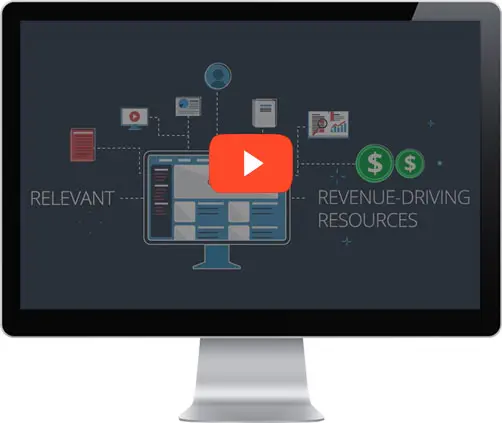
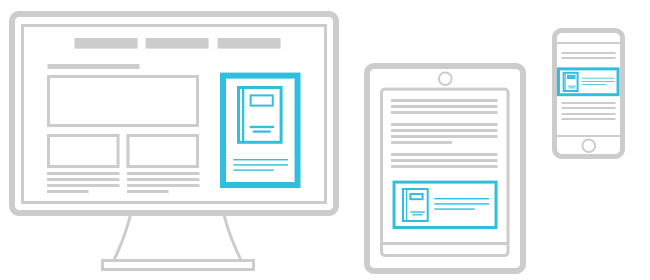
If you have an RSS feed, you can make money and provide added value to your users with the RSS to Email tool from RevResponse.
In just 5 easy steps, RevResponse will customize a newsletter for you, monetize it for you, and help you to build your subscriber list.
"We went for nearly a decade without an email newsletter because we thought it was too hard to do. Your implementation was quite painless, and we have been very happy with the results."
~RevResponse Partner, John Pike, Director of GlobalSecurity.org
John is right. We made it easier than ever to create, customize, schedule and send a newsletter to your audience. Even better, we monetize the mailing and the subscription process for you.
Read our User Guide to learn more or simply, get started today!
NOTE: If you currently use a third-party email vendor for your newsletter OR if you do not have an RSS feed, we still have exciting monetization options for you. Contact your account manager for personalized suggestions.
Comments
Great Feature
Tue, 02/15/2011 - 22:00 — saruguMuch needed feature and marketing technique too. I've created one for my blog readers.
Expecting custom newsletter option. I mean, creating custom message from the html editor.
Great!
Wed, 02/16/2011 - 06:11 — KarenHi Sarugu,
I'm glad to hear you jumped on board with the new tool so quickly. Please let me know when you have added the subscribe widget to your site and start generating subscribers for the newsletter.
Keep us posted with your success and comments.
I created one, however the
Wed, 02/16/2011 - 09:33 — mcangeliI created one, however the widget for signups is too wide, and when I use the txt link one, nothing happens on my site...
Customized Widget
Wed, 02/16/2011 - 11:15 — KarenHi Mcangeli,
We created a widget for you to use that fits your sidebar. I'll email the code over to you. Please let me know if you do not receive it.
neat...
Sat, 02/19/2011 - 06:46 — work911but I think for us, we would need to be able to include offers by key words. In any event we have a newsletter list of over 9k people, so what do you have available for that? (I've been including offers manually).
Keywords
Thu, 08/18/2011 - 08:27 — work911Echo this. Really important to complete the automated process, AND ensure relevant offers are made available so as not to annoy subscribers.
RSS to Email
Fri, 03/11/2011 - 10:00 — ScamoutLike Work911, I already have a newsletter subscriber list. Can it be imported into your tool or would I have to start over?
Tom Mahoney, Director
Merchant911.org
Tom, Thanks for your
Fri, 03/11/2011 - 10:22 — DanielTom,
Thanks for your question; you can upload your current list into our RSS to Email tool so you don't have to start from scratch. I will contact you directly to get things setup.
Dan
Hi Karen, The newsletter is
Sat, 03/26/2011 - 22:31 — KaushikHi Karen,
The newsletter is unable to recognize source feeds from Feedburner. Please see that this is fixed.
Thanks you
RE: Feedburner
Tue, 03/29/2011 - 07:00 — DavidHi Kaushik,
We have many publishers leveraging feedburner feeds for their newsletters so there must be something else at work.
I'll have the team take a look and we'll be in touch via email.
David Fortino
VP Audience Development
NetLine Corporation
A few questions
Mon, 08/15/2011 - 19:19 — work911I'm testing this for a bit, but I have a few questions.
I've set up a newsletter, but I believe I'll need to change the rss feed used. Is it possible to edit it for an existing newsletter, since I'd hate to have to start over with no subscribers?
Likewise, I handpicked ten offers to include, but obviously I'll need to change these, particularly as offers emerge and expire. I'm not seeing how to edit what offers are included once it's setup. Can that be done? Am I missing something.
I need to decide what to do with my 9,000 subscribers to my existing newsletter (all double opt in. If I decide to convert everything over, can I have you add them?
I'm not sure I want to do that yet...depends on some testing I need to do, but if all goes well, and I get the answers I'm hoping for for the questions above, I'll probably want to do that in early Sept.
Thanks.
RE: A few questions
Mon, 08/15/2011 - 20:58 — DavidHi Work911,
Yes, you most certainly can change the RSS feed used on your newsletter at any time.
Yes, you can easily edit the offers by clicking the 'Edit' link within the RSS to Email Control Panel page.
Yes, you can easily move your names over to the new list. We can walk you through the process behind the scenes...it's pretty straightforward and simple.
Let us know if you have any other questions or comments that you'd like to review.
Thanks,
David Fortino
VP Audience Development
Thanks
Tue, 08/16/2011 - 17:48 — work911Thanks David. One more question. Am I correct that the frequency options are once a month or once a week? I'd actually like to do it twice a week.
I think I can actually forward the email to my existing mailing list, actually, so as not to have to move it over here. It saves hassle, if it works, and it allows me to keep the two mailing lists separate, and make use of the web views I get from the original archived newsletters.
RE: thanks
Wed, 08/17/2011 - 07:59 — DavidYou can set the newsletters to go out on a daily, weekly, or monthly basis. If you'd like to do it twice a week, simply select the 'Weekly' option and then select the days which you want the newsletters to go out.
Please let us know if you have any other questions.
Thanks,
David Fortino
VP Audience Development
NetLine Corporation
Excellent and yet another question
Thu, 08/18/2011 - 06:24 — work911Thanks. Sent out the first test today, and it's looking good.
Another questions. I need to know a bit more so I can ensure that the content in the newsletter isn't repeated. Best way to ask is with an example.
I have a feed with 100 items. It changes, of course, but a number of items are in the rss feed over a number of weeks. My newsletter shows 5 of the items.
Does your system "know" what it's already included? Or does it simply take the first five items in the feed, then the next time it takes the first five items, even if they are still the same?
Don't know if I'm being clear here, but just trying to avoid duplication from week to week.
A MUST change....
Thu, 08/18/2011 - 08:25 — work911The double opt in confirmation has no proper identifying subject line, and no proper from name. Without those, the vast majority of people who want to confirm are simply going to have this dumped as spam, or actually filtered out.
The ideal would be to have the subject line and from lines reflect the newsletter subscribed to.
An absolute MUST change.
Re:
Mon, 08/22/2011 - 06:22 — DavidI've passed along your comments to Engineering for review. We'll see what we can do to optimize the current messaging.
Thanks,
David Fortino
VP Audience Development
NetLine Corporation
box size
Mon, 08/22/2011 - 06:46 — work911I also need to be able to change the width of the subscription box, hopefully to 200px wide. I'm trying to mod the code, but apart from the table width, it's not immediately clear what else needs to be changed.
RE: box size
Mon, 08/22/2011 - 06:57 — DavidWe can easily customize that behind the scenes. Dan will be in touch later today with a modified version.
He'll also explain another option we make available that specifically is focused on capturing your migrant search engine referral traffic.
David Fortino
VP Audience Development
NetLine Corporation